In short (60 seconds)
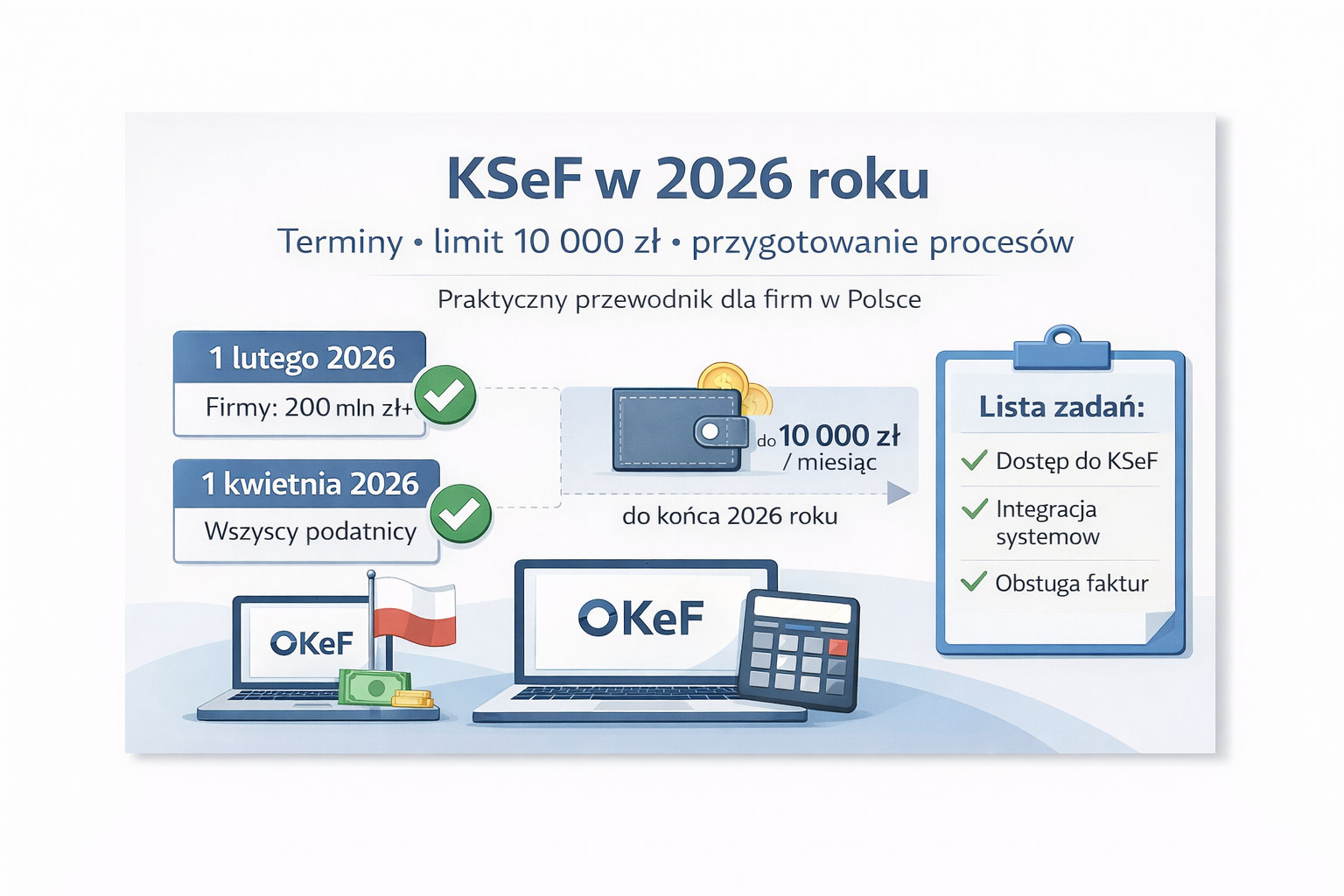
Deadlines. KSeF is mandatory from 1 February 2026 for turnover >200M zł, from 1 April for the remaining VAT payers, and from 1 January 2027 for micro-entrepreneurs. Penalties. 2026 is a grace year with no financial sanctions. From 2027 — up to 100% of VAT for an invoice issued outside KSeF, up to 18.7% of the total for invoices without VAT, and a separate 500 zł penalty for errors in SAF-T (in force since March 2026). Access. ZAW-FA(3) from 1 February 2026 (replacing ZAW-FA(2)). Submit via e-Urząd Skarbowy or e-Doręczenia — not via ePUAP. 10,000 zł exemption. Until end of 2026, calculated per calendar month including VAT. Where it hurts most. Not the API — the data: NIPs with dashes, VAT rates as numbers instead of codes, BOM marker in UTF-8 XML, unaligned reference data.
Why this isn't "just another KSeF overview"
KSeF (Krajowy System e-Faktur) is a clearance model for e-invoices. An invoice does not legally exist until the central system of the Polish Ministry of Finance has accepted and validated it. No paper, no PDF over email, no Excel sheets. Only a structured XML following the FA(3) schema — otherwise the document does not exist.
Most KSeF overviews stop at "deadlines + 10,000 zł + general advice." That was enough in 2024. In 2026, with the system already live and companies meeting reality head-on, the question is different: how do I keep this from breaking my accounting in the third month? General overviews don't answer that.
This article is about what actually hurts:
- How to file ZAW-FA(3) correctly and why ePUAP no longer works
- Which authentication methods exist and when to pick which (with real prices)
- How FA(3) differs from the previous FA(2) and what breaks during migration
- Specific KSeF error codes — with examples and fixes, not "contact support"
- Correction invoices (faktura korygująca) in KSeF — a separate trap
- Special cases: B2C, zero-rated exports, split payment, barter
- Paid solutions (Comarch, Symfonia, Sage, Enova) vs open-source — an honest comparison
- July 2026 update: half a year after go-live
- Key dates 2026–2027
- Penalties: why 2026 is not a "free year"
- The 10,000 zł threshold: 3 common misunderstandings
- ZAW-FA(3): how to get access without losing 3 weeks
- Authentication methods: when to pick which
- FA(3) vs FA(2): what changed and what breaks
- KSeF error codes with fixes (real-world)
- Correction invoices: a separate trap
- Special cases: B2C, exports, split payment
- 5 KSeF 2.0 changes that get missed in planning
- 7 traps that surface in the third month
- Paid solutions vs open-source: an honest comparison
- 30 / 60 / 90-day checklist
- Conclusion: what to do this week
- Official sources
July 2026 update: half a year after go-live — what actually shows up
KSeF has been mandatory for the largest taxpayers since 1 February 2026, and the rest of businesses joined on 1 April. After a few months in production a clear pattern has emerged — and it isn't the one most companies expected.
- The pain is in the data, not the API. The companies that sailed through weren't the ones with the best integration, but the ones that had cleaned their dictionaries first (tax IDs, VAT rates, GTU codes, addresses). Integration is ~20% of the work; the rest is data quality and process.
- "Receiving" caught small firms off guard. Everyone prepared to issue invoices — but receiving KSeF invoices has been required since February, regardless of company size. A micro-business "with time until 2027" was still getting KSeF invoices from large suppliers from day one.
- Corrections are the quiet time sink. Not the XML and not the API — correction invoices turned out to be the most common source of manual work in months 3–4.
What being unprepared really costs (illustrative model)
There is no single "price of KSeF" — the cost hides in the manual handling of exceptions. The model below assumes ~10% corrections, ~20 minutes per manual case, at 60 zł/h (~€13). It's an illustrative estimate, not measured data — your numbers will differ.
| Invoices / mo. | Corrections (~10%) | Hours / mo. | Cost / mo. | Per year |
|---|---|---|---|---|
| 200 | ~20 | ~7 h | ~400 zł | ~4,800 zł |
| 1,000 | ~100 | ~33 h | ~2,000 zł | ~24,000 zł |
| 5,000 | ~500 | ~165 h | ~10,000 zł | ~120,000 zł |
The direction holds at any scale: an untested corrections process turns into a full-time job. That's why an operational layer — monitoring, routing of rejected invoices, pre-submission self-checks — pays off faster than it looks. We broke down the real first-months problems in a separate piece: KSeF after go-live: 15 problems that appear in months 2–3 ↗.
Answer honestly "yes / no". Every "no" is an open risk before your go-live date:
- ZAW-FA(3) submitted (via e-US, not ePUAP) or a qualified seal with tax ID
- I know which FA(3) fields map to which fields in my ERP
- Correction invoices tested (not just ordinary ones)
- Receiving of KSeF invoices from suppliers configured
- "Shadow" channels closed (Word / Excel / manual invoices)
- A process owner assigned (who reacts to a rejected invoice at 6:30 pm on Friday)
- A plan for the KSeF ID in bank transfers (from 1 August 2026)
3+ "no"? Start with the 30 / 60 / 90-day checklist below. And if you're looking for a platform where KSeF is part of the business logic rather than a bolted-on module — see KSeF on a low-code platform (MyCompany / lsFusion) ↗.
Key dates 2026–2027
Remember these six dates — the entire transition strategy is built around them:
| Date | What happens | Who is affected |
|---|---|---|
| 1 Jan 2026 | ePUAP no longer delivers ZAW-FA | Everyone — switch to e-US or e-Doręczenia |
| 1 Feb 2026 | KSeF mandatory; FA(3) replaces FA(2); ZAW-FA(3) in force | Large taxpayers: 2024 turnover > 200M zł (incl. VAT). Receiving — for everyone |
| 1 Mar 2026 | 500 zł penalty for KSeF designation errors in SAF-T | Everyone filing JPK_VAT |
| 1 Apr 2026 | KSeF mandatory for everyone else | SMBs, sole proprietorships (JDG), both active and exempt VAT payers |
| 1 Aug 2026 | KSeF ID in bank transfers (especially split payment) | Everyone — for matching payments to invoices |
| 1 Jan 2027 | Penalties in force; micro-entrepreneurs also obligated | Everyone, no exceptions |
From 1 February 2026, receiving KSeF invoices is mandatory for everyone, regardless of business size. Issuing is phased — receiving is not. This means even a micro-business in February 2026 can already receive a KSeF invoice from a large supplier — and must know what to do with it.
Penalties: why 2026 is not a "free year"
The Polish Ministry of Finance has made 2026 an adaptation period — no financial penalties for KSeF violations are imposed throughout 2026. Sounds like a gift. It is not — it is a trap for anyone who takes it literally.
From 1 January 2027, the sanctions under Article 106ni of the VAT Act apply:
- Up to 100% of the VAT amount on an invoice issued outside KSeF (for invoices that should have gone through KSeF).
- Up to 18.7% of the invoice total — if there is no VAT (zero-rated exports, EU services, etc.).
- 500 zł per error — in force since March 2026 for incorrect KSeF designations in SAF-T (JPK_VAT) files. This is not "from 2027" — it is now.
The Polish Ministry of Finance has stated that maximum sanctions will not be applied automatically — each case will be considered individually. Good news, but only for those who can document a good-faith effort to comply. For everyone else, "100% of VAT" is the realistic benchmark.
A simple example. An invoice for 100,000 zł net + 23,000 zł VAT, issued outside KSeF in 2027, can cost an additional 23,000 zł in penalties. One such invoice — and the savings from "we'll implement it later" are gone.
Even in grace year 2026, an invoice that should have gone through KSeF but was issued outside it risks being rejected for VAT-deduction purposes by the buyer. No penalty — but the client refuses to pay until you redo the document. Financially, the effect is the same.
The 10,000 zł threshold: 3 common misunderstandings
Until 31 December 2026, a transitional relaxation applies: you can issue invoices outside KSeF (paper or ordinary electronic) if the total of such invoices in a given calendar month does not exceed 10,000 zł incl. VAT. Important caveat: sources interpret this rule inconsistently. One reading treats it as a general relief for all VAT payers; a stricter reading limits it to micro-entrepreneurs with an additional condition (single invoice no greater than 450 zł). Verify your case with a tax advisor before relying on it. Three common mistakes:
Mistake #1. "It's an annual limit"
No. The limit resets monthly. 10,000 in January, another 10,000 in February — but each month stands alone. A year is 12 separate limits, not 120,000 zł combined.
Mistake #2. "We'll pay the fine if we exceed it"
No fine in 2026, but as soon as you exceed the limit in a given month, all subsequent invoices that month must go through KSeF. If they're issued outside KSeF, the buyer has the right to refuse the invoice and withhold payment until they receive a KSeF version. From 2027, a fine is added on top.
Mistake #3. "The exemption covers the whole process"
The exemption only applies to issuing. Receiving and processing KSeF invoices from suppliers is something you still have to set up — even if you only issue 5,000 zł per month. This is the most common trap for small businesses.
ZAW-FA(3): how to get access without losing 3 weeks
ZAW-FA is the form through which a legal entity appoints a super-administrator who will have owner-level rights in KSeF (granting and revoking permissions of other users). From 1 February 2026 a new version applies: ZAW-FA(3), replacing ZAW-FA(2).
What changed in ZAW-FA(3)
- The list of identifying data for the proxy and principal has been clarified
- The process for the general proxy (attorney/legal counsel) and UKO (użytkownik konta organizacji) was adjusted
- Interactive PDF — less chance of missing a required field
How to file ZAW-FA(3) — and why ePUAP is no longer an option
From 1 January 2026, a ZAW-FA submitted via ePUAP is not considered delivered to the tax office. This is not a bug — it is a deliberate change. The alternatives:
| Channel | Duration | Comment |
|---|---|---|
| e-Urząd Skarbowy (e-US) | 1–3 days | Fastest channel. Interactive form with online validation |
| e-Doręczenia | 2–7 days | An alternative for those who already have an e-Doręczenia account |
| Paper (in person or by mail) | 2–3 weeks | Q1 2026 — government offices overloaded, real timelines may be longer |
Alternative to ZAW-FA: a qualified electronic seal with NIP
If your company already has a qualified electronic seal bearing its NIP — you don't need to file ZAW-FA. Logging in with the seal automatically grants owner-level rights in KSeF. Faster, but it has a price tag: ~1,000–3,000 zł per year for the certificate. Often the best fit for mid-sized businesses that don't want to depend on paper procedures.
File ZAW-FA(3) as early as you can. If your deadline is 1 April, don't wait until March: tax offices are overloaded in Q1 2026, and the paper channel can take 3+ weeks. If your deadline is 1 February and you haven't filed yet, e-US gets it done in 1–3 days (works right now).
Authentication methods: when to pick which
Legal entities (not individuals) can authenticate in KSeF in three ways. Each has its own use case:
| Method | Cost | When it fits | Limitations |
|---|---|---|---|
| Qualified seal (with NIP) | 1,000–3,000 zł/year | Mid-sized business, continuous use; ZAW-FA not required | Annual renewal; tied to a specific organization |
| Token | 0 zł | API integration, testing, simple scenarios | Available only through the end of 2026 — slated for retirement afterwards |
| KSeF certificate | 0 zł (generated for free) | Long-term API integration, ERP/accounting systems | Requires setup on the system side, periodic renewal |
For most companies the logic is: if you're ERP-integrated — take the KSeF certificate and configure it through your ERP vendor. If you're just a bookkeeper with a laptop — the qualified seal gives the least friction. Token is for testing only: it will go away, don't build production processes on it.
FA(3) vs FA(2): what changed and what breaks
From 1 February 2026 the invoice format in KSeF is FA(3). The previous FA(2) structure is no longer accepted. If your ERP hasn't been updated for FA(3), invoices will be rejected — no exceptions.
What's new in FA(3)
- An expanded set of optional fields — for specific transactions (e.g. foreign-currency services, factoring constraints).
- Refined rules for GTU codes (Grupowanie Towarów i Usług) — mandatory for certain product/service categories.
- Stricter rules for invoices mixing different VAT rates in a single document.
- Improved support for correction invoices (see the section below).
What breaks during FA(2) → FA(3) migration
The most common failure: the ERP vendor says "we support FA(3)" — and it turns out only the XML generator is ready. Reference data (GTU codes, VAT rates as letter codes, NIP formats) is still old, and KSeF rejects every other invoice. Don't ask the vendor "do you support FA(3)?" (everyone says yes). Ask specifically: "which FA(3) fields map from which ERP fields?" If the answer is fuzzy — you're in trouble.
KSeF error codes with fixes (real-world experience)
This is the most useful section for those already in production. Below — typical errors companies hit in the early months of KSeF, with concrete fixes:
| Error | Symptom | Fix |
|---|---|---|
| Invalid NIP | NIP with dashes, spaces, "PL" prefix, or 9 digits instead of 10 | Just 10 digits, no separators: 1234567890, not PL123-456-78-90. The PL prefix goes into a separate VAT-EU field. For EU counterparties — country code (DE, CZ, FR) in a separate field |
| VAT rate as a number | Sent 23 instead of a coded value |
KSeF only accepts values from a fixed list: 23, 8, 5, 0, zw (exempt), np (not applicable), oo (reverse charge). ERPs select from a dropdown — this error mostly shows up in custom API integrations |
| Incomplete address | One of the 5 required elements is missing | Check that all of them are sent: street, number, postal code, city, country code. KSeF does not "accept and warn" — it rejects |
| BOM marker in UTF-8 XML | XML validation fails with no visible problem in the file | An invisible 3-byte prefix at the file's start. Notepad++: Encoding → UTF-8 (without BOM). VS Code: click "UTF-8 with BOM" at the bottom → "Save with Encoding" → "UTF-8" |
| CDATA sections | Invoice accepted, but appears blank or garbled in the MF portal | CDATA is formally valid XML, but the Ministry's systems can't render it correctly. Don't use CDATA — escape special characters properly with &, <, etc. |
| Missing GTU code | Rejection for categories that require GTU | GTU codes are mandatory for alcohol, fuel, electronics, pharmaceuticals, waste and others. Check which codes apply to your product range in the Ministry of Finance GTU reference |
| Document duplicate | Resent after a timeout or error | Implement an idempotency key in your integration — KSeF does not update documents, it rejects duplicates. If you got a timeout, don't blindly resend — check status through the API |
According to accountants who have gone through the first months of mandatory KSeF, rejection rates in the early weeks are significant — especially for non-standard transactions: foreign currency, mixed VAT rates, industry-specific quirks. The exact percentage depends heavily on how clean your data is. The point: it's not an API problem — it's a data problem in your reference tables and ERP. Cleaning data before first launch saves weeks of chaos afterwards.
Correction invoices (faktura korygująca): a separate trap
A correction invoice is not "the same invoice, only fixed". In KSeF it's a separate document type with its own rules — rules that aren't taken seriously enough during planning. And they break almost every implementation.
What makes a KSeF correction different
- Linked to the original through KSeF ID, not document number. If the original was issued outside KSeF (e.g. in January 2026 still on the old FA(2)) — how do you correct it? That's a separate process.
- The correction reason must come from a fixed list of causes (product return, price error, post-factum discount, etc.). "Other" is not supported.
- Zero- or negative-value corrections have their own format that many ERPs can't generate out of the box.
- Correcting a correction is a separate scenario that often isn't tested. Bookkeepers are used to "throw out the wrong one and issue a new one"; in KSeF you can't do that.
Why this hurts
In a typical company, corrections are roughly 5–15% of total document volume (varies by industry). If the correction process isn't set up, those 5–15% drop into manual handling. Worked example: at 1,000 invoices per month, that's 50–150 manual cases, each taking 15–30 minutes — 20–75 working hours per month. At your volume the numbers differ, but the logic is the same: an untested correction process = an entire headcount dedicated to manual work.
Special cases: B2C, exports, split payment
B2C — KSeF is voluntary
B2C transactions (sales to end consumers) remain outside the KSeF mandate. This is its own story with its own rules: cash registers, buyer's NIP, consumer invoice requests. KSeF here is optional — you can issue, but you don't have to. No mandatory implementation date is scheduled for B2C.
Zero-rated exports
Exports outside the EU and certain intra-EU operations — VAT rate 0 or oo (reverse charge).
The "100% of VAT" penalty doesn't apply here (VAT is zero), but the alternative does: up to 18.7% of the total.
On a 500,000 zł export, that's 93,500 zł of potential penalty.
Split payment (MPP)
Split payment is a special payment mechanism for certain categories (metals, fuel, electronics, etc.) where VAT is transferred to a separate VAT account of the buyer. From 1 August 2026, an MPP bank transfer must include the KSeF ID — otherwise the bank may refuse the transfer. Major Polish banks are rolling out support for this field, but progress varies — check directly with your bank-client (Bankowość) whether the payment template has a KSeF ID field. If not, that's a separate risk worth closing before August.
Barter and offsets
Barter (offset) in KSeF is recorded as two separate invoices linked through compensation documents. Not as a single "zero" invoice. This is a common mistake — caught by audit, not by KSeF.
5 KSeF 2.0 changes that get missed in planning
1. KSeF ID in bank transfers (from 1 August 2026)
Bank transfer details must carry the KSeF invoice identifier. If your accounting system doesn't pass the ID into the payment instruction, the client can't match the payment to the invoice — and reconciliation turns into chaos. Especially critical for split payment.
2. "Offline24" mode — now permanent
In a force-majeure (no internet, KSeF unavailable) you can issue an invoice offline and submit it the next day. For routine use you need a special authorization (from 1 November 2025). If you plan offline as a norm — start the procedure early.
3. QR code on paper / PDF copies
If you print an e-invoice for a client, the printed copy must carry a QR code in the standard format. This isn't "just add an image" — it's a required element. It affects print templates across every ERP/CRM.
4. Invoices with attachments — a separate process
If you attach specifications, acceptance documents or technical descriptions to invoices, this is a separate scenario with its own rules for storage, deadlines and operational handling. It breaks issuance timelines and internal SLAs if you didn't plan for it.
5. 10-year retention in KSeF
All invoices that went through KSeF are kept by the Polish Ministry of Finance for 10 years — longer than the standard VAT statute of limitations. Archive access works through the API — make sure your audit and review processes account for this.
7 traps that surface in the third month
- "Everything's in the ERP" — turns out it isn't. The accounting team occasionally issued "manual" invoices through Word/Excel — for corrections, advances, non-standard clients. In KSeF that channel disappears. Every invoice must go through one system.
- No end-to-end process owner. IT owns the integration, accounting owns the data, legal owns ZAW-FA. When an invoice is rejected, nobody responds. Errors "between departments."
- Corrections aren't tested. The standard case is easy. Correction invoices, returns, advance payments, mixed-VAT-rate cases — that's where KSeF rejects.
- Misaligned reference data. Client NIP in the ERP has no separators, in CRM has dashes, in billing has a PL prefix. Fine on 100 invoices. A disaster on 10,000.
- Receiving is ignored. Everyone prepared to "send." Almost nobody prepared to "receive." What does your team member do with a KSeF invoice at 6:30 p.m. on a Friday?
- Payments don't match invoices. From August 2026 the KSeF ID must be in the bank transfer. If the bank-client doesn't pass the ID, accounting hand-matches every payment to every invoice.
- No status monitoring. How many sent, how many rejected, how many in queue, who responds? If you learn about a problem from the client, you've already lost.
6 of 7 traps are not about API or XML. They're about process, ownership and data. Integration is 20% of the work. The other 80% is the operational layer around it.
Paid solutions vs open-source: an honest comparison
If you don't have an internal dev team, the simplest path is a ready-made paid solution. If you do — open-source gives more flexibility at a lower subscription cost. Prices below are indicative ranges as of early 2026; check current tariffs and bundles with the vendors:
Paid (commercial)
| Solution | Price (approx.) | Strength | Weakness |
|---|---|---|---|
| Comarch ERP / Optima | From 500 zł/month depending on modules | Full-featured ERP with a KSeF module, large partner network, deep localization | Hard to adapt to non-standard processes without a partner |
| Symfonia ERP | From 400 zł/month | Classic Polish solution familiar to bookkeepers, solid SAF-T integration | Less flexibility; API for non-standard cases is limited |
| Sage (SAP Business One / Sage 50) | From 600 zł/month | International platform, KSeF bolted on through a local module | KSeF feels like an "extra layer," not native; some scenarios need rework |
| Enova365 | From 350 zł/month | Low entry barrier, intuitive UI, KSeF module out of the box | May lack depth for mid-sized+ companies |
| Turnkey implementation | 3,000–15,000 zł one-off | Integrator does everything, you get a working system | Dependency on the integrator; changes also go through them, paid |
Open-source: the "operational layer" around KSeF
Open-source tools don't replace your accounting system. They cover what the official solutions ignore: monitoring, routing of rejected invoices, manual handling of exceptions, custom logic, interfaces for the people who work with invoices every day.
| Tool | What it covers | Links |
|---|---|---|
| MyCompany (lsFusion) | A declarative ERP platform where KSeF is part of the overall business logic. Real-time recalculation, change control, full Polish UI (toggles with one click). For those who want not "a KSeF module attached to an ERP" but an ERP built around their own processes | Site · GitHub |
| Appsmith | Internal panels for manual KSeF error handling, status monitoring, retries | Site · GitHub |
| ToolJet | Fast internal interfaces on top of APIs/databases — for monitoring and operations | Site · GitHub |
| n8n | Workflow automation: routing of rejected invoices, Slack/Teams alerts, escalations | Site · GitHub |
| Budibase | Admin interfaces, simple workflows | Site · GitHub |
| NocoBase | Extensible low-code platform with plugins | Site · GitHub |
How to choose: a decision matrix
- Small business (up to 100 invoices/month), no IT team → Enova365 or Symfonia + a bookkeeper
- Mid-sized business (100–1,000 invoices/month), standard processes → Comarch or Symfonia + a qualified seal
- Mid+ business with non-standard processes → MyCompany (lsFusion) + in-house team or partner
- Any size needing flexibility → paid ERP + an open-source layer (Appsmith / n8n) for monitoring
- Large business, complex integration → SAP / Comarch Enterprise + custom development
30 / 60 / 90-day checklist
- 0–30 days — see the real picture. Full list of invoice sources (including "manual" ones). Audit of data and reference tables (NIP, addresses, VAT rates, GTU). File ZAW-FA(3) through e-US or obtain a qualified seal. Appoint a process owner. Inventory all the non-standard scenarios that actually occur in real life.
- 31–60 days — assemble a working skeleton. Basic integration with the KSeF API (test sandbox). Set up roles and permissions. Mandatory tests: correction invoices, advance payments, mixed-VAT-rate cases, exports. First submissions to production.
- 61–90 days — stabilization and monitoring. Procedures for handling rejections with error codes. A monitoring dashboard (Appsmith / ToolJet / built into the ERP). Metrics: % rejected, time to react, manual fixes. Readiness for attachments, KSeF ID in transfers, QR codes on printed copies.
Conclusion: what to do this week
KSeF is an operational project, not "an XML format." Only those who tidy up their data in advance, pin down ownership, and build a managed end-to-end process get through the transition without pain.
If you don't have a plan yet, do these three things this week:
- File ZAW-FA(3) through e-US (or start the process of getting a qualified seal). Not via ePUAP — it no longer works as of 1 January 2026.
- Find the "shadow" issuing channels. Is anyone in your company issuing invoices outside the main system? That is the biggest risk. Until you close that channel, KSeF won't work cleanly.
- Ask your ERP vendor three specific questions: (1) which FA(3) fields map from which ERP fields, (2) how they pass the KSeF ID into bank transfers, (3) what the procedure is for rejected invoices. If the answers are fuzzy — you're going to have a problem. Look for an alternative.
- Exceptions multiply. The first weeks are quiet; then come corrections, advances, returns, invoices with attachments. Without an operational layer this quickly becomes chat + Excel + "ask accounting."
- You need visibility. How much sent, how much accepted, how much rejected, where it's stuck. Monitoring + queue + alerts give more value than yet another integration.
- It lowers compliance risk. Problems are more often in data than in the API. Auto-checks before sending substantially cut the risk of a 2027 fine.
- It lets you scale. Growth, a new branch, a new document type — these are the things that break manual schemes fastest.
Official sources
- KSeF on podatki.gov.pl — official portal
- KSeF on gov.pl — Polish Ministry of Finance
- FA(3) logical structure — specification
- ZAW-FA(3) in e-Urząd Skarbowy
Quick feedback
A quick signal helps us prioritize follow-ups.
Related posts
If you care about the practical consequences of KSeF, exceptions and automation — more on DevLab Blog: